10 Lessons for Writing a Good AGENTS.md for Codex and Claude Code
Ten hard-won lessons from running Codex and Claude Code side by side, distilled into a survival guide for writing AGENTS.md files that actually work. Key moves include capping the root file at 200 lines, listing what not to introduce alongside the actual stack, writing rules the tool can mechanically check instead of vague principles like “keep it simple”, and treating the entry file as a router to architecture docs rather than a single dump. Other high-leverage practices involve using PLANS.md to break long-running tasks into reversible phases inside an isolated worktree, giving high-risk directories their own local guardrails, layering intent–intercept–permission–sandbox so red lines aren't left to model memory alone, storing auditable long-term memory in MEMORY.md with a 30‑day hurdle, and separating personal style from team conventions from machine permissions. The guide closes with a copy‑ready skeleton and the principle that the entry file should grow like a test suite every time the tool gets something wrong.
By @Voxyz_ai · 2026-05-30T16:02:30.000Z

One markdown file plus a famous name, 162K stars (andrej-karpathy-skills). I stared at that number for a while. The name did a lot of the lifting. The same file from an unknown account would mostly get ignored. But it caught fire because it hit a real need: everyone's handing their code to AI now, and the thing that trips everyone up is the same. The model can write. It just doesn't know your project's rules. This file was the first to turn "how do I keep the agent in line" into something you can copy. And the slice that caught on is narrow. It's about behavior, how the model should act while it codes: ask when unsure, make the smallest change, don't refactor for fun.
作者:@Voxyz_ai · 2026-05-30T16:02:30.000Z
一份 Markdown 文件加上一个耳熟能详的大名,获得了 162K 星标(仓库名 andrej-karpathy-skills)。我盯着那个数字看了好一会儿。名字确实起到了巨大的带动作用。同样的文件,如果来自一个无名账号,大概率会被忽略。但它之所以爆火,是因为击中了一个真实的需求:现在人人都在把代码交给 AI 处理,而所有人卡在同一个点上。模型能写代码,但它就是不知道你项目的规矩。这个文件是第一个把「如何让代理安分守己」变成可复制方案的东西。而它走红的那部分内容很窄:它关注的是行为,是模型在写代码时应该如何行动——不确定时主动询问、做最小的改动、不要为了好玩就重构。
This isn't a post about AGENTS.md formatting. It's 10 lessons from actually shipping with these tools: which counterintuitive moves work better, and which traps you only need to hit once. I run both Codex and Claude Code, and everything below works for both.
这篇文章不是讲 AGENTS.md 的格式。它是在实际用这些工具交付项目时总结出的 10 个教训:哪些反直觉的做法效果更好,哪些坑踩一次就够了。我既用 Codex 也跑 Claude Code,下面所有内容对两者都适用。
You'd think more information means the tool understands you better. The opposite is true: the more you write, the easier it is for the tool to miss the few lines that actually matter.
The entry file loads in full at the start of every session. Every wasted line there pushes out something the tool actually needs. Two numbers worth knowing. Codex has a project_doc_max_bytes limit, 32 KiB by default, but it's not that one oversized file gets truncated. Codex concatenates from global to project root down to your current directory, and once the combined size hits the cap it stops adding more. Write too much up front and the rules closest to the task can get squeezed out of context. Claude Code's official guidance is to target under 200 lines, and CLAUDE.md loads in full no matter how long it is, so longer means worse adherence.
Working rule: keep the root file between 100 and 200 lines. Past that, split it into docs/ or subdirectories.
# ❌ don't do this
## Founding Story
Back in 2024 I tossed out this idea on a livestream, and then...
(300 lines of startup story + vision + why we're different)

# ✅ do this
## Project Overview
A web app that drafts X posts in a creator's own voice and schedules them.

Goal:
- turn a rough idea into a publish-ready post in under a minute

Priority:
1. draft sounds like the user
2. no fake stats, no broken links
3. speed
4. polish

Stack:
- Next.js App Router + TypeScript
- Tailwind + shadcn/ui
- Supabase (auth + Postgres)
- a background worker for scheduled posts
An engineer who's never seen your project should be able to answer, within 30 seconds of reading it: what is this, how do I run it, where does code go, how do I verify a change?

你可能会觉得,信息越多,工具就越能理解你。事实恰恰相反:你写得越多,工具就越容易漏掉那几行真正关键的内容。
入口文件会在每次会话启动时全量加载。里面多浪费一行,就会挤掉一行工具真正需要的内容。有两个数字值得知道。Codex 有 project_doc_max_bytes 限制,默认 32 KiB,但问题不是单个大文件被截断。Codex 会把全局、项目根目录和当前目录的文件拼接在一起,一旦合并大小达到上限,就不再添加更多内容。前面写太多,最贴近任务的那些规则可能被挤出上下文。Claude Code 的官方指导是控制在 200 行以内,而且不管多长 CLAUDE.md 都会完整加载,所以越长就意味着遵守度越差。
运作规则:根目录文件保持在 100-200 行之间。超过了,就拆分到 docs/ 或子目录中。
# ❌ 不要这样做
## 创业故事
早在 2024 年,我在一次直播中随口提了这个想法,然后……
(300 行的创业故事 + 愿景 + 我们为什么不一样)

# ✅ 要这样做
## 项目概述
一个 Web 应用,用自己的语气起草 X 帖子并定时发布。

目标:
- 把粗浅的想法在一分钟内变成可发布的帖子

优先级:
1. 草稿听起来像用户本人
2. 不要虚假统计,不要损坏链接
3. 速度
4. 打磨

技术栈:
- Next.js App Router + TypeScript
- Tailwind + shadcn/ui
- Supabase(认证 + Postgres)
- 用于定时帖子的后台 Worker
一个从没见过你项目的工程师,应该在阅读后的 30 秒内能回答这几个问题:这是什么?怎么运行?代码放在哪里?如何验证改动?
You list your stack and assume the tool won't go rogue. But it doesn't know your project's baggage. It'll helpfully reach for the "best" option it knows, and that option may collide with your migrations and conventions.
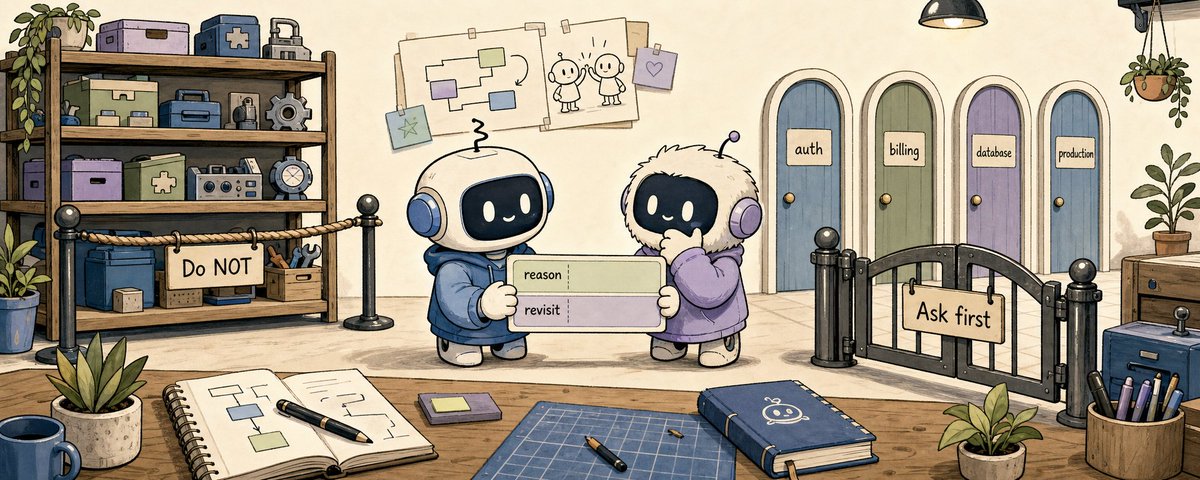
Codex and Claude Code both run commands, edit files, and ask for permissions on their own. In Codex's default Auto preset, local work is usually workspace-write plus on-request: reads and writes inside the workspace and routine commands run freely, but writing outside it or hitting the network asks first. A file that only lists your stack won't stop any of that. So the do-not list has two layers: what to never introduce, and what it isn't allowed to decide alone.
## Tech Stack
- Next.js 15 App Router + TypeScript
- Tailwind CSS + shadcn/ui
- Supabase Auth + Postgres
- Zustand for client state

## Do NOT introduce unless asked
- Redux
  Reason: state moved to Zustand + server components
  Revisit: only if we need offline sync
- styled-components
  Reason: styling is Tailwind-only
  Revisit: never, unless the design system is replaced
- a second ORM or database
  Reason: data layer is Supabase + Postgres
  Revisit: only for separate event/log storage, not the product DB

## Stop and ask before
- changing public API contracts
- editing auth / billing / permissions logic
- changing database schema or running a migration
- adding a production dependency
- editing a test just to make it pass
- a diff over 500 lines, or touching files outside the asked scope
- any command that hits production, billing, users, or external services
A do-not list isn't a mood. It's a compressed record of decisions. With a Reason and a Revisit, the tool knows why a rule exists and when it can loosen. The Stop-and-ask column matters more. It isn't a ban. It says: this call isn't yours to make alone.
你列了技术栈,就以为工具不会乱来。但它不知道你项目的历史包袱。它会热心地去拿它知道的「最佳」方案,而这个方案可能与你的迁移计划和约定冲突。
Codex 和 Claude Code 都能自己运行命令、编辑文件和请求权限。在 Codex 默认的 Auto 模式下,本地工作通常是工作区写入加请求制:工作区内的读写和常规命令自由执行,但写入工作区外或访问网络需要先请求。一个只列出技术栈的文件阻止不了这些行为。因此「禁止列表」有两层:永远不要引入什么,以及什么决定不能由它单独做。
## 技术栈
- Next.js 15 App Router + TypeScript
- Tailwind CSS + shadcn/ui
- Supabase Auth + Postgres
- Zustand 用于客户端状态

## 除非被要求,否则不要引入
- Redux
  原因:状态已迁移到 Zustand + 服务器组件
  何时重新考虑:只在需要离线同步时
- styled-components
  原因:样式只用 Tailwind
  何时重新考虑:永远不,除非设计系统被替换
- 第二个 ORM 或数据库
  原因:数据层是 Supabase + Postgres
  何时重新考虑:只用于单独的事件/日志存储,而不是产品数据库

## 做之前先问问我
- 修改公共 API 契约
- 编辑认证 / 计费 / 权限逻辑
- 更改数据库 schema 或运行迁移
- 添加生产依赖
- 为了通过测试而修改测试
- diff 超过 500 行,或触及请求范围之外的文件
- 任何影响生产环境、计费、用户或外部服务的命令
禁止列表不是心情好坏,它是决策的压缩记录。有了「原因」和「何时重新考虑」这两条,工具就知道了规则为什么存在,以及何时可以放松。「先问再做」这一列更重要。它不是禁令。它是在说:这个决定不能由你一个人来做。
"Write clean code" sounds like a good rule. To the tool it says nothing.
The tool can't read "clean," "simple," or "performant." It can read "use named exports," "components under 200 lines," "async/await instead of .then() chains."
# ❌ vague, the tool can't act on it
## Coding Rules
- write clean code
- keep it simple
- make it fast

# ✅ concrete, the tool can follow it directly
## Coding Rules
- Server components by default; add "use client" only for state or effects
- Validate every API input with zod before it touches the DB
- No `any`; model it with a type or `unknown`
- Money is integer cents, never a float
- One exported component per file
- Add a test when behavior changes, not only for new features
Codex and Claude Code both run commands to check their own work, so "what done means" has to be written down too:
## Definition of Done
Before finishing:
1. run `pnpm typecheck`
2. run `pnpm lint`
3. run tests for changed files

## Final response format
When done, report in this order:
1. files changed
2. what changed and why
3. verification run, with results
4. verification NOT run, with the reason
5. remaining risks or follow-ups
Quick test: after reading a rule, can you judge in five seconds whether a piece of code follows it? If yes, the rule's good. If not, rewrite it.

「写干净的代码」听起来像一条好规则。但对工具来说,这句话毫无意义。
工具读不懂「干净」「简单」或「高性能」。它能读懂的是「使用命名导出」「组件不超过 200 行」「用 async/await 代替 .then() 链」。
# ❌ 模糊,工具无法据此行动
## 编码规则
- 写干净的代码
- 保持简单
- 让它快起来

# ✅ 具体,工具可以直接遵循
## 编码规则
- 默认使用服务器组件;只有当需要状态或副作用时才加 "use client"
- 在触及数据库之前,用 zod 验证每一个 API 输入
- 不允许 `any`;用类型或 `unknown` 来建模
- 金额用整数分,绝不用浮点数
- 每个文件只导出一个组件
- 行为改变时要添加测试,不仅仅是新功能
Codex 和 Claude Code 都会运行命令来检查自己的工作,所以「完成意味着什么」也要写清楚:
## 完成定义
结束前:
1. 运行 `pnpm typecheck`
2. 运行 `pnpm lint`
3. 运行改动的文件的测试

## 最终回复格式
完成后,按此顺序报告:
1. 改动了哪些文件
2. 改动内容及原因
3. 做了哪些验证及结果
4. 未做哪些验证及原因
5. 剩余风险或后续事项
快速检验:读了一条规则之后,你能否在五秒钟内判断一段代码是否遵循了它?如果能,这条规则就是好的。如果不能,重写它。
You assume the thing to write down is project knowledge. But where the tool actually goes off the rails is its behavior, not its knowledge.
It doesn't ask when it's unsure; it picks one reading and barrels ahead. It doesn't stop when it should; it "improves" the code next door while it's at it. That 162K repo from the intro took off for exactly this layer. It describes no specific project. It just turns a few of Karpathy's observed failure modes into behavior rules. Worth stealing into your own file.
## How to work
- Restate the goal in one line before coding; if it is ambiguous, ask
- Make the smallest change that satisfies the task
- Do not refactor nearby code unless asked
- Surface tradeoffs and inconsistencies instead of silently picking one
- No new abstraction unless it is used in 3+ places
Hand it a vague task and watch the first move. If it restates the goal or asks a question instead of charging in, this layer is doing its job.

你可能会认为需要写下来的是项目知识。但工具真正跑偏的地方在于它的行为,而不是它的知识。
它不确定时不会问;它会选定一种理解,然后闷头往前冲。它在该停的时候不停;它会在改代码的同时顺手「改进」旁边的代码。前面提到的那个 162K 星标的仓库之所以能火,正是因为抓住了这一层。它没有描述任何具体项目,它只是把 Karpathy 观察到的几种失败模式变成了行为规则。值得借用到你自己的文件中。
## 工作方式
- 写代码前用一句话重述目标;如果不明确,就问清楚
- 做满足任务的最小改动
- 除非被要求,否则不要重构附近的代码
- 暴露权衡和不一致之处,而不是默默选一个方案
- 除非在 3 个以上地方用到,否则不要引入新的抽象
交给它一个模糊的任务,观察它的第一步。如果它先重述目标或反问问题,而不是直接冲进去,那就说明这一层在起作用。
The temptation is to cram every architecture doc into this one file. But its job isn't storage. It points the tool to where the information actually lives.
A regular user's entry file is a knowledge dump. A power user's is a router.
## Project Context
Read these only when relevant:
- Architecture overview: `docs/architecture.md`
- API contracts: `docs/api.md`
- Database schema notes: `docs/database.md`
- Deployment runbook: `docs/deploy.md`
- Long task planning: `.agent/PLANS.md`
I added a PLANS.md there, and it's one of the highest-leverage moves. AGENTS.md doesn't hold the plan itself. It carries one line: for anything complex, go write a plan in .agent/PLANS.md, split it into phases, wait for my sign-off. The template lives in the repo. OpenAI's cookbook has a whole piece on using PLANS.md to carry multi-hour, multi-step work.
## Long-running work
For complex features, migrations, or large refactors:
1. read `.agent/PLANS.md`
2. write an execution plan first, split into phases
3. wait for approval before implementation
4. keep the plan updated as work progresses
A goal is just the top-level objective you hand it. Paired with the phases laid out in PLANS.md, that's what lets it carry a task that runs for hours. My setup is simple: I run these in an isolated worktree (a worktree is just a separate checkout of your code for this one task, so a blowup doesn't touch your main branch), drop a clear goal before bed, and check a string of commits and verification notes in the morning. The longest single run I've had was 36 hours, where it took a full architecture problem from start to finish, and it came out decent. I've seen people run 6-day ones; I just haven't hit a task that needs that long. The premise comes first: tests run, the sandbox caps what it can touch, every phase is reversible, and there are no production credentials or prod write access on the machine. Without that, it isn't automation. It's locking an intern on the production box overnight.
It can run that long only because the goal is written tight and the phases are cut fine. The template I reach for looks like this:
Goal: <one sentence, one outcome you can verify>

Break it into phases. Run each phase through this loop, no skipping:
1. write the test first
2. write the code
3. code review
4. simplify, cut anything not needed
5. run tests, fix until green
6. (UI work) run the real flow with a test admin account, take screenshots,
   judge whether any button, dialog, or copy adds cognitive load or blocks the user
7. commit

Run all phases end to end in one dedicated worktree; don't switch context midway.
Stop for me on anything irreversible: production data, migrations, external writes.

At every step, ask yourself:
- "You overengineered this, there is a simpler way"
- "There is a smaller delta that buys us most of the benefits"
- "There is a more elegant way"
- "This is not architecturally coherent"
Those four prompts are just lesson 4's behavior rules pressed into a single task. One more thing: don't write a big goal as one big plan. Break it into stages, one plan per phase, and run each plan through an adversarial pass to confirm it's coherent and buildable before you let it go. Then even after an overnight run, what you wake up to is a clean string of commits, not a pile to roll back.
The pointer mechanics differ slightly between the two. Codex loads referenced docs on demand, only when it needs them. Claude Code's import pulls the whole file in at launch, so don't hang big docs off it; use skills or path-scoped .claude/rules/ instead.
If the root file shows no big blocks of doc text, only "when you need X, go read Y," you've got it right.

人们很容易把所有架构文档都塞进这个文件。但它的职责不是存储,而是为工具指路,告诉它信息实际存放在哪里。
普通用户的入口文件是知识 dump,高级用户的入口文件是路由器。
## 项目上下文
仅在与相关内容相关时阅读:
- 架构概览:`docs/architecture.md`
- API 契约:`docs/api.md`
- 数据库 schema 说明:`docs/database.md`
- 部署手册:`docs/deploy.md`
- 长期任务规划:`.agent/PLANS.md`
我在里面加了个 PLANS.md,这效果极好。AGENTS.md 并不存放计划本身。它只放一行:对于任何复杂的事情,去 .agent/PLANS.md 写个计划,拆分成阶段,等待我的批准。模板放在仓库里。OpenAI 的 cookbook 有一整篇文章介绍如何使用 PLANS.md 承载持续数小时、多步骤的工作。
## 长期运行的工作
对于复杂功能、迁移或大型重构:
1. 阅读 `.agent/PLANS.md`
2. 先写执行计划,拆分为阶段
3. 等待批准后再实施
4. 随着工作进展保持计划更新
目标只是你交给它的顶层目标。配合 PLANS.md 中列出的阶段,这才能让它承载需要跑几个小时的任务。我的设置很简单:我在一个隔离的 worktree 中运行(worktree 就是为这个任务单独签出一份代码,所以就算搞砸了也不会影响主分支),睡前扔一个清晰的目标,早上检查一系列 commit 和验证记录。我单次最长运行了 36 小时,它从头到尾解决了一个完整的架构问题,结果还不错。我见过有人跑过 6 天的;只是我还没遇到需要那么长的任务。前提是先有的:测试能跑,沙箱限制了它能接触的东西,每个阶段都是可逆的,而且机器上没有生产环境的凭据或写权限。没有这些,那就不是自动化,而是把实习生锁在生产服务器上过夜。
它能跑那么久,只是因为目标写得紧凑,阶段切得精细。我常用模板是这样的:
目标:<一句话,一个你能验证的结果>

分解成阶段。每个阶段按这个循环执行,不要跳过:
1. 先写测试
2. 再写代码
3. 代码审查
4. 简化,删掉不必要的部分
5. 运行测试,直到全部通过
6. (UI 工作)用测试管理员账号跑一遍真实流程,截屏,
   判断是否有任何按钮、对话框或文案增加了认知负担或阻塞了用户
7. 提交

所有阶段在一个专用的 worktree 中端到端执行;中间不要切换上下文。
任何不可逆的操作都要停下来问我:生产数据、迁移、外部写入。

每一步都问自己:
- 「你过度工程化了,有更简单的方法」
- 「有更小的变更能带来大部分收益」
- 「有更优雅的方式」
- 「这里架构上不连贯」
这四个提示就是把第四课的行为规则压缩成了一个任务。另外一件事:不要把大目标写成一个大一统的计划。把它分解成多个阶段,每个阶段一个计划,并在执行前对每个计划进行一次对抗性审查,确认它连贯且可构建。这样即使经过一次彻夜运行,你早上起来看到的是干净的 commit 串,而不是一堆需要回滚的烂摊子。
两个工具的指向机制略有不同。Codex 按需加载引用的文档,只有在需要时才去读取。Claude Code 的 import 在启动时就会拉取整个文件,所以不要把大文档挂在它上面;应该用 skills 或按路径限定的 .claude/rules/ 替代。
如果根目录文件看起来没有大块的文档文本,只有「需要 X 时,去读 Y」,那就做对了。
That goal from the last lesson, the one you can leave running all night? You don't let go of it because you trust the model. You let go because of the few layers of guardrail that start here.
Some modules carry ten times the risk of the rest. Give them their own file.
Both tools walk from the project root down to your current directory. The closer a file is to the task, the more it counts. But the two handle "priority" differently. Codex is closer to an override: one file per level, the nearer one beats the farther one, and in the same directory AGENTS.override.md beats AGENTS.md. Claude Code is more like concatenation: every CLAUDE.md gets stitched into context in order, the later ones carry more weight, and if rules contradict, the model can still waver. Subdirectory CLAUDE.md loads on demand, and you can scope it with paths in .claude/rules/. Drop a local file in each high-risk directory and you've put a railing around the danger zone.
AGENTS.md
src/
  auth/
    AGENTS.md
  billing/
    AGENTS.md
infra/
  AGENTS.override.md
# src/auth/AGENTS.md
## Security boundaries
- Don't touch the X OAuth token refresh flow without asking
- Never log access or refresh tokens, not even at debug level
- Any change here must run `pnpm test src/auth`

## Known traps
- Tokens are encrypted at rest; write through `tokenStore`, never the table
- Token refresh holds a one-at-a-time lock; do not parallelize it
- The session cookie is httpOnly + SameSite=Lax; changing it breaks popup OAuth
A subdirectory file should carry only that directory's local risks, not a copy of the root.

上一课的那个目标,那个你可以让它跑一整夜的目标?你放手不是因为信任模型。你放手是因为从这一层开始搭起的几层护栏。
有些模块的风险是其他模块的十倍。给它们单独的文件。
两个工具都会从项目根目录向下走到你的当前目录。文件离任务越近,权重越大。但两者对「优先级」的处理不同。Codex 更接近覆盖模式:每个层级一个文件,近的覆盖远的,而在同一目录下 AGENTS.override.md 优先级高于 AGENTS.md。Claude Code 更像是拼接:每个 CLAUDE.md 按顺序缝进上下文,后面的权重更大,但如果规则有矛盾,模型还是可能左右摇摆。子目录的 CLAUDE.md 按需加载,你也可以在 .claude/rules/ 中用路径来限定范围。在每个高风险的目录中放一个本地文件,就等于在危险区域周围加了一圈护栏。
AGENTS.md
src/
  auth/
    AGENTS.md
  billing/
    AGENTS.md
infra/
  AGENTS.override.md
# src/auth/AGENTS.md
## 安全边界
- 未经询问,不要触碰 X OAuth token 刷新流程
- 绝对不要记录访问令牌或刷新令牌,即使是 debug 级别也不行
- 这里的任何更改都必须运行 `pnpm test src/auth`

## 已知陷阱
- Token 在存储时是加密的;必须通过 `tokenStore` 写入,不能直接操作表
- Token 刷新持有一次性锁;不要并行化
- Session cookie 是 httpOnly + SameSite=Lax;更改它会破坏弹窗 OAuth
子目录文件应该只包含该目录的本地风险,而不是根文件的翻版。
You write a red line into the file and assume the tool holds it. It won't always remember. Don't keep red lines in the file alone.
Anthropic says it plainly: to actually block an action regardless of what the model decides, use a PreToolUse hook; writing it into CLAUDE.md doesn't count. The two tools line up roughly, but the hardness differs.
intent      AGENTS.md / CLAUDE.md           tells the tool how it should act
intercept   PreToolUse hook                 runs your check before an action fires
permission  Codex rules / permissions.deny  which commands may run, which are blocked
boundary    sandbox_mode / sandbox.enabled  what the tool can actually reach
Below are two concrete Codex configs. Copy them if they help, skip them if not. The point stands either way. These layers enforce the red lines. Don't count on the model to remember them.
Codex hooks load from ~/.codex/hooks.json, <repo>/.codex/hooks.json, or the [hooks] table in config.toml, and support lifecycle events like PreToolUse, PostToolUse, and Stop.
{
  "hooks": {
    "PreToolUse": [
      {
        "matcher": "Bash",
        "hooks": [
          {
            "type": "command",
            "command": "/usr/bin/python3 "$(git rev-parse --show-toplevel)/.codex/hooks/pre_tool_use_policy.py"",
            "statusMessage": "Checking Bash command"
          }
        ]
      }
    ]
  }
}
Codex also has rules, which control which commands can run outside the sandbox, with allow, prompt, and forbidden as the actions. A good replacement for "hope the model remembers not to run the dangerous thing." One heads-up: rules are still marked experimental, so don't sell them as a forever-stable standard, but they're the best place right now for command-level policy.
# ~/.codex/rules/default.rules
prefix_rule(
    pattern = ["git", "push"],
    decision = "prompt",
    justification = "Pushing code needs human confirmation",
)

prefix_rule(
    pattern = ["rm", "-rf"],
    decision = "forbidden",
    justification = "Use a safer cleanup script instead of raw rm -rf",
)
On the Claude Code side, the PreToolUse hook plus permissions.deny and sandbox.enabled in managed settings are the harder enforcement layer. On Codex, keep one thing in mind: the PreToolUse hook can intercept Bash, apply_patch, and MCP calls, which is useful, but OpenAI itself calls it a guardrail, not a complete enforcement boundary, and not every command gets caught. The real hard edges still come from the sandbox, permission profiles, rules, CI, an isolated worktree, and withholding production credentials.
What you put in the file is a "please remember." Intercept what you can with hooks, govern what you can with rules, isolate what you can with the sandbox, and stop trusting the model to comply. The more dangerous and irreversible the action, the further down these layers it belongs.

你在文件里画了一条红线,就以为工具能守住它。但工具不总能记住。不要把红线只放在文件里。
Anthropic 说得很直白:要真正阻止某个动作,不管模型如何决定,都要用 PreToolUse hook;光写到 CLAUDE.md 里不算数。两个工具的思路大致对齐,但硬约束的力度不同。
意图        AGENTS.md / CLAUDE.md            告诉工具应该如何行动
拦截        PreToolUse hook                  在动作触发前运行你的检查
权限        Codex rules / permissions.deny    哪些命令可以运行,哪些被阻止
边界        sandbox_mode / sandbox.enabled    工具实际能够触及的范围
下面是两个具体的 Codex 配置。有用就复制,没用就跳过。重点不变:这些层级强制执行红线,别指望模型能记住。
Codex 的 hook 从 ~/.codex/hooks.json、<repo>/.codex/hooks.json 或 config.toml 的 [hooks] 表中加载,支持 PreToolUse、PostToolUse 和 Stop 等生命周期事件。
{
  "hooks": {
    "PreToolUse": [
      {
        "matcher": "Bash",
        "hooks": [
          {
            "type": "command",
            "command": "/usr/bin/python3 "$(git rev-parse --show-toplevel)/.codex/hooks/pre_tool_use_policy.py"",
            "statusMessage": "正在检查 Bash 命令"
          }
        ]
      }
    ]
  }
}
Codex 还有 rules,它可以控制在沙箱之外哪些命令可以运行,动作包括 allow、prompt 和 forbidden。这是「希望模型记住别跑危险东西」的实用替代方案。提醒一下:rules 仍标记为实验性功能,所以不要把它作为长期稳定的标准来推广,但它是目前制定命令级策略的最佳位置。
# ~/.codex/rules/default.rules
prefix_rule(
    pattern = ["git", "push"],
    decision = "prompt",
    justification = "推送代码需要人工确认",
)

prefix_rule(
    pattern = ["rm", "-rf"],
    decision = "forbidden",
    justification = "使用更安全的清理脚本,而不是原始 rm -rf",
)
在 Claude Code 这边,PreToolUse hook 加上 managed settings 中的 permissions.deny 和 sandbox.enabled 是更强的执行层。在 Codex 这边,要记住一点:PreToolUse hook 可以拦截 Bash、apply_patch 和 MCP 调用,这很有用,但 OpenAI 自己称之为护栏(guardrail),不是完整的执行边界,而且并不是每个命令都能被捕获。真正的硬边界仍然来自沙箱、权限配置文件、rules、CI、隔离的 worktree 和不上交生产凭据。
你在文件里写的是「请记住」。用 hooks 拦截能拦截的,用 rules 管理能管理的,用沙箱隔离能隔离的,然后别再信任模型会遵守规则。动作越危险、越不可逆,就应该交给越靠下的层级来处理。
Every new session, the tool meets your project fresh, like it has amnesia. You don't need a vector database for this, and you shouldn't hand memory entirely to the tool's built-in system either.
The two tools' auto-memory sits in opposite states. Codex's Memories is off by default and not yet available in some regions. Claude Code's auto memory is on by default (since v2.1.59), with Claude writing what it learns into MEMORY.md, the first 200 lines or 25KB of which load every session. But both vendors flag the same thing: mandatory team rules belong in the file, in Git, and auto-memory is only a backup.
## Memory
`MEMORY.md` records durable project learnings:
- decisions that changed future implementation
- recurring traps
- patterns the agent previously got wrong
- commands that fixed real issues

At the start of a non-trivial task, read `MEMORY.md`.
At the end, suggest updates if a durable lesson was learned.
Do not store secrets, credentials, or customer data.
Set one bar for what's worth saving, and most of the junk never lands:
## Memory update rule
Only update `MEMORY.md` when the lesson is likely to matter again in 30 days.
Skip one-off bugs, temporary TODOs, secrets, and speculative preferences.
If your memory is auditable, deletable, and shows up in a git diff, it's healthy. Otherwise long-term memory slowly turns into long-term pollution.

每次新会话,工具都是重新认识你的项目,就像它失忆了一样。你不需要为此搞一个向量数据库,也不应该把记忆完全交给工具的内置系统。
两个工具的自动记忆状态截然不同。Codex 的 Memories 功能默认关闭,并且在某些地区还不可用。Claude Code 的自动记忆默认开启(从 v2.1.59 开始),Claude 会把学到的东西写入 MEMORY.md,每次会话加载前 200 行或 25KB。但两家供应商都指出了同一件事:强制性的团队规则属于文件、属于 Git,自动记忆只是备份。
## 记忆
`MEMORY.md` 记录持久的项目经验:
- 改变了后续实现的决策
- 反复出现的陷阱
- 代理之前模式化地犯过的错误
- 解决了实际问题的命令

开始一项重要任务时,先阅读 `MEMORY.md`。
任务结束时,如果学到了可能需要记住的教训,就建议更新它。
不要存储密钥、凭据或客户数据。
为「值得保存」设定一个门槛,大部分垃圾就不会被写进去:
## 记忆更新规则
只有当这个教训很可能在 30 天内再次起作用时,才更新 `MEMORY.md`。
跳过一次性 bug、临时的 TODO、密钥和推测性的偏好。
如果你的记忆是可审计的、可删除的、能在 git diff 中显现的,那它就是健康的。否则,长期记忆会慢慢变成长期污染。
Mix personal preferences, team conventions, and machine permissions into one file to save effort, and what you're really building is a drawer nobody dares clean out.
personal style   ~/.codex/AGENTS.md   or   ~/.claude/CLAUDE.md
team convention  <repo>/AGENTS.md     and  <repo>/CLAUDE.md
machine perms    .codex/config.toml   or   .claude/settings.json
Personal preferences go global, shared across every project:
# ~/.codex/AGENTS.md  (or ~/.claude/CLAUDE.md)
## My working style
- Show the diff and your reasoning before anything destructive
- When unsure, give me 2 options with tradeoffs; don't guess
- Match the file's existing style; don't reformat code you didn't change
- Lead with the answer, keep it short, paste exact file paths
- Reply in Chinese; keep code and comments in English
- Skip the "you're absolutely right" preamble
The file in the project skips personal taste and carries only this repo's conventions:

# <repo>/AGENTS.md
## Repository expectations
- Use pnpm
- Run `pnpm lint` before finishing
- Run tests for modified packages
- Document public utilities in `docs/`
- Do not modify billing or auth flows without confirmation
为了省事,把个人偏好、团队约定和机器权限都混进一个文件里,那你实际上在构建的是一个没人敢清理的抽屉。
个人风格     ~/.codex/AGENTS.md  或  ~/.claude/CLAUDE.md
团队约定     <仓库>/AGENTS.md     和  <仓库>/CLAUDE.md
机器权限     .codex/config.toml  或  .claude/settings.json
个人偏好放在全局,所有项目共享:
# ~/.codex/AGENTS.md  (或 ~/.claude/CLAUDE.md)
## 我的工作风格
- 在做任何破坏性操作前,先展示 diff 和你的理由
- 不确定时,给我 2 个选项并列出权衡;不要猜
- 匹配文件现有风格;不要重新格式化你没改动的代码
- 先说答案,保持简洁,粘贴精确的文件路径
- 用中文回复;代码和注释保持英文
- 省掉「你说得完全正确」这种开场白
项目中的文件则去掉个人喜好,只携带这个仓库的约定:
# <仓库>/AGENTS.md
## 仓库期望
- 使用 pnpm
- 结束前运行 `pnpm lint`
- 运行修改过的包的测试
- 在 `docs/` 中记录公共工具
- 未经确认不要修改计费或认证流程
You use both Codex and Claude Code, so the natural move is to write a file for each. But two files will drift, and in two months nobody can say which one is right.
Anthropic is explicit: Claude Code reads CLAUDE.md, not AGENTS.md. The fix is simple. Make AGENTS.md the single source of truth and let CLAUDE.md hold one line, an import:
# CLAUDE.md
@AGENTS.md

## Claude Code only
Use plan mode for changes under `src/billing/`.
Claude Code pulls the whole imported file in at launch, then appends its own lines. If you don't need Claude-specific content, a symlink works too:
ln -s AGENTS.md CLAUDE.md
Don't maintain two full sets of rules. AGENTS.md is the source, CLAUDE.md keeps just the import plus the rare Claude-only addition. Write them separately and in two months they won't match.

你同时用 Codex 和 Claude Code,那么自然会给每个工具各写一个文件。但两个文件会漂移,两个月后没人能说清哪个才是对的。
Anthropic 说得很清楚:Claude Code 读的是 CLAUDE.md,不是 AGENTS.md。修复方法很简单。让 AGENTS.md 成为唯一的事实来源,然后让 CLAUDE.md 只放一行,一个导入:
# CLAUDE.md
@AGENTS.md

## 仅限 Claude Code
对 `src/billing/` 下的改动使用计划模式。
Claude Code 在启动时会拉取整个导入的文件,然后附加它自己的行。如果你不需要 Claude 特定的内容,也可以用符号链接:
ln -s AGENTS.md CLAUDE.md
不要维护两套完整的规则。AGENTS.md 是源头,CLAUDE.md 只保留导入加上少数 Claude 特有的补充。分开写的话,两个月后它们就会对不上。
Don't want to think it through from scratch? Paste this into AGENTS.md and adjust. Ten lessons, compressed into one file:
# AGENTS.md

## Project Overview
<one paragraph: what it is, who it's for, the top priority>

## How to work
- Restate the goal in one line before coding; if unclear, ask
- Make the smallest change that does the job; don't refactor nearby code
- Surface the tradeoffs; don't silently pick one

## Coding Rules
- <one rule you can judge in five seconds>

## Definition of Done
- run typecheck / lint / the tests for what changed
- report: files changed, what and why, what you verified, what risks remain

## Do NOT introduce unless asked
- <library> — Reason: <why> / Revisit: <when it's worth reconsidering>

## Stop and ask before
- auth / billing / DB schema / production / any change over 500 lines

## Project context (read when relevant)
- docs/architecture.md, .agent/PLANS.md, MEMORY.md
Don't let this file carry the dangerous stuff alone, back it with hooks / rules / sandbox. On Claude Code, add a CLAUDE.md whose single line imports it, plus a few Claude-only notes. One source, both tools read it.

不想从头想?把这个粘贴到 AGENTS.md 里再调整一下。十节课的内容,压缩成一个文件:
# AGENTS.md

## 项目概述
<一段话:是什么、为谁而做、最高优先级>

## 工作方式
- 写代码前用一句话重述目标;如果不清楚就问
- 做完成工作的最小改动;不要重构附近的代码
- 暴露权衡;不要默默选一个

## 编码规则
- <一条你在五秒内能判断的规则>

## 完成定义
- 运行 typecheck / lint / 改动相关的测试
- 报告:改动了哪些文件、改动内容及原因、你验证了什么、还剩下什么风险

## 除非被要求,否则不要引入
- <库> — 原因:<为什么> / 何时重新考虑:<什么时候值得重新考虑>

## 做之前先问问我
- 认证 / 计费 / 数据库 schema / 生产环境 / 任何超过 500 行的改动

## 项目上下文(仅相关时阅读)
- docs/architecture.md, .agent/PLANS.md, MEMORY.md
不要让这个文件独自承担危险的东西,用 hooks / rules / 沙箱来支持它。在 Claude Code 上,加一个 CLAUDE.md,用一行导入它,再加上几条 Claude 特有的备注。一个来源,两个工具都能读。
- Run /init for a first draft: Codex produces AGENTS.md, Claude Code produces CLAUDE.md (and reads an existing AGENTS.md).
- Cut the root file under 200 lines / 32 KiB, and move big docs into docs/ and PLANS.md.
- Add Do NOT introduce and Stop and ask, and hand dangerous actions to rules / hooks / sandbox instead of just writing them down.
- Make AGENTS.md the source of truth and import it into CLAUDE.md with a one-line import. Don't maintain two.
The entry file isn't write-once-and-forget. It should grow like a test suite, every time the tool gets something wrong.
Each time the tool repeats a mistake, turn that mistake into a more specific rule. Each process you have to explain by hand, turn into a doc pointer, a hook, a rule, or a test command.
The entry file isn't the agent's knowledge base. It's the agent's working contract.
It answers four questions for you: where am I and how does the code run, how should I act when I'm unsure, how do I prove I'm done, and which calls aren't mine to make? AGENTS.md and CLAUDE.md answer the first three. The fourth goes to config, rules, hooks, sandbox, and CI.

In a month, Codex and Claude Code won't have gotten smarter. You'll just have turned your project's implicit knowledge into something they read, run, and verify before every job.
If this helped:
→ Repost it to someone whose AGENTS.md is already too stuffed to touch → Bookmark the skeleton above and copy it next time you write an AGENTS.md
Everything I'm writing as I build: voxyz.ai/insights.
入口文件不是一次写完就忘的东西。它应该像测试套件一样生长,每次工具出错了就要更新它。
每次工具重复同一个错误,就把那个错误变成一条更具体的规则。每个你需要手动解释的流程,都变成文档指针、hook、规则或测试命令。
入口文件不是代理的知识库,它是代理的工作契约。
它为你回答四个问题:我在哪、代码怎么运行?我不确定时该怎么做?我如何证明我做完了?哪些决定不是我能做的?AGENTS.md 和 CLAUDE.md 回答前三个。第四个交给配置、规则、hooks、沙箱和 CI。
一个月后,Codex 和 Claude Code 不会变得更聪明。你只是把你项目中隐性的知识,变成了它们在每次任务前都要读取、运行和验证的东西。
如果这篇文章对你有帮助:
→ 转发给那些 AGENTS.md 已经臃肿到不敢碰的人 → 收藏上面的骨架,下次写 AGENTS.md 时拿出来复制
我正在构建过程中的所有写作:voxyz.ai/insights。
- andrej-karpathy-skills (the 162K-star CLAUDE.md repo from the intro): github.com/multica-ai/andrej-karpathy-skills
- AGENTS.md (Codex official guide): developers.openai.com/codex/guides/agents-md
- Codex Best Practices: developers.openai.com/codex/learn/best-practices
- Codex Hooks: developers.openai.com/codex/hooks
- Codex Rules: developers.openai.com/codex/rules
- Codex Agent Approvals & Security (sandbox / approval): developers.openai.com/codex/agent-approvals-security
- Codex Memories: developers.openai.com/codex/memories
- PLANS.md (OpenAI Cookbook): developers.openai.com/cookbook/articles/codex_exec_plans
- Claude Code Memory (CLAUDE.md / AGENTS.md import / auto memory): code.claude.com/docs/en/memory
- andrej-karpathy-skills(开篇提到的 162K 星标 CLAUDE.md 仓库):github.com/multica-ai/andrej-karpathy-skills
- AGENTS.md(Codex 官方指南):developers.openai.com/codex/guides/agents-md
- Codex 最佳实践:developers.openai.com/codex/learn/best-practices
- Codex Hooks:developers.openai.com/codex/hooks
- Codex Rules:developers.openai.com/codex/rules
- Codex 代理审批与安全(沙箱/审批):developers.openai.com/codex/agent-approvals-security
- Codex Memories:developers.openai.com/codex/memories
- PLANS.md(OpenAI Cookbook):developers.openai.com/cookbook/articles/codex_exec_plans
- Claude Code 记忆(CLAUDE.md / AGENTS.md 导入 / 自动记忆):code.claude.com/docs/en/memory