用 Karpathy 的 autoresearch 方法,将你的 Claude Skills 效果提升10倍
本文介绍如何用 Andrej Karpathy 的 autoresearch 方法自动迭代优化 Claude Skills。核心思路:给 agent 一份可打分的是/否 checklist,让它反复测试、改进你的 skill,每次判断改动是否有效。作者以落地页文案 skill 为例,通过4轮自动循环,质量检查通过率从56%提升至92%,并详细记录了每一轮改动及其理由。该方法适用于任何可量化评价的任务(如网站性能、开发邮件、文章开头),只需定义好评分标准。文章提供了可直接运行的 skill 下载,适合已搭建 AI 工作流但苦于质量不稳定的工程师实践参考。

Author: Ole Lehmann Original link: How to 10x your Claude Skills (using Karpathy's autoresearch method)
The author Ole Lehmann (@itsolelehmann) is a highly influential AI content creator and educator, especially in applying AI to business automation and personal productivity. If you're interested in workflow automation, commercial deployment of AI agents, or increasing personal leverage, he is one of the top creators to follow on X right now. His style is extremely pragmatic—he rarely discusses abstract theories and focuses on "hands-on" guidance on configuring AI tools that can help you make money or save time.
The value of this article: you can take any skill, any workflow, any research task—as long as it's measurable and quantifiable—and upgrade it through the autoresearch method, continuously optimizing until its effectiveness becomes ten times what it was. The principle is dead simple: evaluate, optimize, evaluate, optimize… repeat endlessly. The author also provides an open-source link you can use directly. You can even have AI find Karpathy's autoresearch and adapt it.
Your Claude skill lies to you about 30% of the time—and your customer may realize it before you do.
Three months ago, I gave a client a landing‑page copy skill I'd built, swearing it was "absolutely reliable." They needed a launch copy for a new product, and I told them not to worry—I used this skill myself all the time.
That evening, the client sent me a screenshot: the CTA was "Learn More," the headline was "Transform Your Business."
I stared at my phone for three seconds, closed it, reopened it—same screenshot.
At that moment I realized I had no idea when the skill actually worked and when it was just phoning it in.
作者:Ole Lehmann 原文链接:How to 10x your Claude Skills (using Karpathy's autoresearch method)
本文作者Ole Lehmann (@itsolelehmann)是一位在 AI 领域极具影响力的内容创作者和教育者,特别是在将 AI 应用于商业自动化和个人生产力方面。如果你对工作流自动化、AI Agent 的商业落地或者提升个人杠杆率感兴趣,他是目前 X 上最值得跟踪的头部博主之一。他的风格非常务实,很少谈论虚无缥缈的理论,更多是“手把手”教你如何配置一个能够帮你赚钱或省时间的 AI 工具。
这篇文章的价值在于:你能将任何skill,任何工作流,任何研究事项,只要他是可度量可量化的,都可以通过autoresearch的方法升级,持续优化,效果变成原来的十倍。原理非常简单,评估,优化,评估,优化.....无限执行。作者还提供了开源的链接,可以直接使用。你也可以用ai找Karpathy的autoresearch进行改造。
你的 Claude skill,有30%的时间都在悄悄骗人——你的客户可能比你先发现。
三个月前,我把自己搭的落地页文案 skill 交给一个客户用,拍着胸脯说"绝对靠谱"。他们要给新产品写上线文案,我说放心,这个 skill 我自己一直在用。
结果当天晚上,客户发来截图:CTA 是"了解更多",标题是"转变你的业务"。
我在手机上看了三秒,关掉,重新打开,还是那个截图。
那一刻我才意识到,我根本不知道这个 skill 什么时候好用、什么时候在糊弄人。
I built a method that can automatically iterate any skill on autopilot. This article teaches you how to run it yourself.
You start it, and the agent begins testing and refining the skill relentlessly—no manual intervention required.
My landing‑page copy skill went from a 56% quality‑check pass rate to 92%. Zero manual effort.
The agent just kept testing and tightening the prompt on its own.
Here's the complete method, plus the ready‑to‑use skill I built; you can take it and run with it:
P.S. Want more AI workflows like this every week? Follow me.
我搭了一套方法,能在 autopilot 模式下自动迭代任何 skill。这篇文章教你怎么自己跑起来。
你启动它,agent 就开始不停地测试、打磨这个 skill,不需要你做任何事。
我的落地页文案 skill,质量检查通过率从56%涨到了92%。全程零手动。
agent 自己在那反复测试、收紧 prompt。
下面是整套方法,以及我搭好的具体 skill,你可以直接拿来用:
P.S. 每周想收到更多这类 AI workflow?关注我。
Where did this method come from?
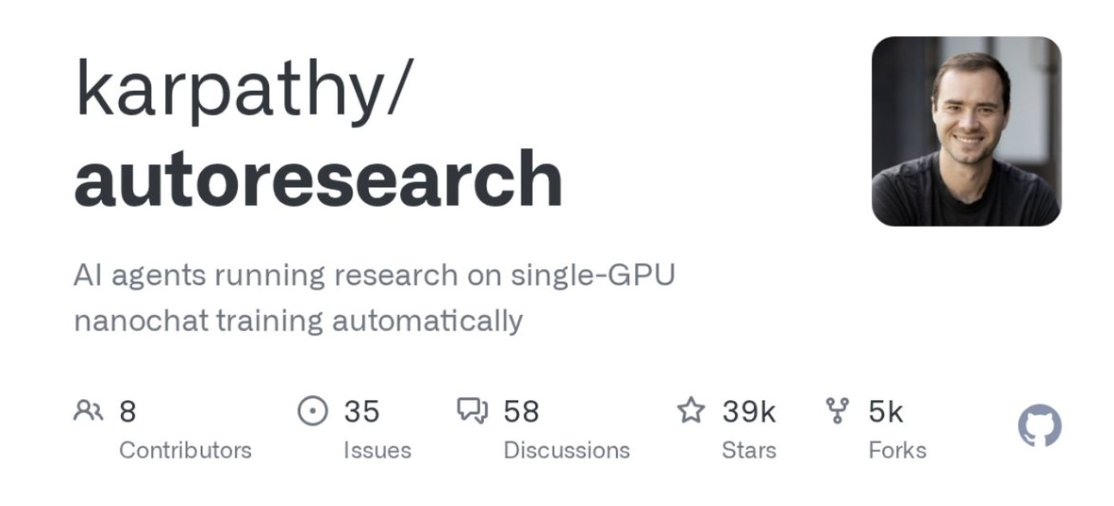
Andrej Karpathy—co‑founder of OpenAI, former head of AI at Tesla, and the person who coined "vibe coding"—released a method called autoresearch.
The core idea is simple: instead of you making improvements manually, an AI agent does it in a loop for you.
It tries a small change. Checks if the result is better. If it is, keep it; if not, throw it away.
Then do it again. And again.
He originally used it on machine‑learning code, but the method works for anything you can measure and improve.
这个方法从哪里来
Andrej Karpathy(OpenAI 联合创始人、特斯拉前 AI 负责人、"vibe coding"这个词的发明者)发布了一套叫 autoresearch 的方法。
核心思路很简单:不让你手动改进,而是让 AI agent 在循环里替你干。
它试一个小改动。看结果变好了没有。变好就留下,没变好就扔掉。
然后再来一次。再来一次。
他最初是用在机器学习代码上的。但这套方法适用于任何能衡量、能改进的东西。
This brings up an uncomfortable truth:
With all those AI workflows you run every day, do you really know whether they’re "performing well" or just "outputting words"?
Most people can't tell the difference, because no one taught them how.
You’ve taken countless AI courses, learned tons of prompt techniques—but has anyone ever told you how to verify if the thing you built is actually working?
No. Everyone teaches you how to build; nobody teaches you how to test.
I couldn't tell either.
I spent a long time thinking about how this kind of failure happens.
What bothered me most wasn't that client screenshot. It was what happened afterwards—I started counting how many times I thought "it's fine" when it had already quietly gone off the rails.
There's one kind of failure you can’t feel at all. For things the prompt doesn’t explicitly forbid, the model slowly drifts toward "safety"—outputs get vaguer, more template‑like, each one passable but each one a little worse. By the time you notice, you have no idea which iteration started the problem.
Another kind is even worse: you only see the outputs that are "good enough"—you open them, use them, and close them. The ones that silently fail, where formatting slips or key elements go missing, you never know how frequent they are because you never go back and check.
The third kind is self‑deception. You spot a problem now and then, manually tweak that one output, and tell yourself "fixed." But you fixed the one output, not the skill itself. It will fail in the exact same spot next time.
I’ve done all three.
Including with the skills you build inside Claude.
这让我想到一个让人有点不舒服的事实:
你每天用的那些 AI workflow,你真的知道它们"表现好"还是"只是在输出文字"吗?
大多数人分不清。因为没人教你怎么分。
你上了多少 AI 课、学了多少 prompt 技巧——但有人告诉过你,怎么验证你搭好的东西真的在工作吗?
没有。大家都在教你怎么搭,没人教你怎么测。
我也曾经分不清。
我后来想了很久,这种失效到底是怎么发生的。
最让我难受的不是那次客户截图。是在那之后——我开始数,到底有多少次我以为"还行",但其实已经在悄悄跑偏了。
有一种失效,你完全感知不到。prompt 没明确禁止的东西,模型会慢慢漂向"安全感"——输出越来越模糊,越来越像模板,每次都过得去,但每次都差一点。等你发现,根本不知道是从第几轮开始出问题的。
还有一种,更难受:你只看得到那些"还不错"的输出——打开、用掉、关掉。那些悄悄失效的,格式跑了、关键要素漏了,你永远不知道它们有多频繁。因为你根本不会去翻。
第三种是自欺欺人。偶尔发现问题,手动改一改那次输出,告诉自己"修了"。但你改的是那一次,不是 skill 本身。下次还是会在同一个地方出错。
我以前三种都干过。
包括你在 Claude 里搭的 skill。
I turned his method into a skill that runs inside Claude Code and Cowork. Whenever you want to use it, just run it on top of another skill.
Say "run autoresearch on my landing‑page skill," and it handles everything else.
我把他的方法做成了一个可以在 Claude Code 和 Cowork 里跑的 skill。想用的时候,直接在其他 skill 上运行它就行。
说一句"对我的落地页 skill 跑 autoresearch",剩下的它全搞定。
How one cycle automatically improves your skill
Picture this.
You have a recipe that works seven times out of ten. The other three times, something goes wrong—maybe the sauce is bland, maybe the seasoning is off.
Instead of rewriting the whole recipe, you swap one ingredient and cook it ten times.
Better? Keep the change.
Worse? Switch back.
Then move to the next ingredient, cook ten times, keep or discard.
After 50 such rounds, your recipe succeeds 9.5 times out of ten.
That’s exactly what autoresearch does to your skill.
The "recipe" is your skill prompt. "Cooking" is running the skill. "Tasting" is scoring the outputs.
一次循环怎么自动提升你的 skill
这么想象。
你有一个菜谱,十次里有七次做得不错。另外三次,总有些地方不对劲。也许是酱汁淡了,也许是调味出了问题。
你不是从头重写整个菜谱,而是换一种配料。用这个改动做十次。
变好了?留下这个改动。
变差了?换回原来的。
然后改下一个。再做十次。变好还是变差?留下还是撤销。
经过50轮这样的过程,你的菜谱十次里有9.5次都能成功。
这正是 autoresearch 对你 skill 做的事。
"菜谱"是你的 skill prompt。 "做菜"是跑这个 skill。 "试味"是给输出结果打分。
The only thing you need to do: provide the scoring criteria
Give the agent a checklist that defines "what good looks like." That’s literally your only job in the whole process.
Define it as a simple yes/no checklist.
Each question checks one specific aspect of the output. Pass or fail—that’s it.
The agent uses this checklist to score every output. That score tells it whether the most recent change is helping or hurting.
Think of a teacher grading with a checklist.
Not "rate the writing quality 1–10" (vague, and the results change every time), but clear yes/no items:
- Did the student state a thesis? Yes or no.
- Did every citation include a source? Yes or no.
- Is the paper within five pages? Yes or no. Grade 100 papers with this checklist and you’ll get consistent results every time.
Here’s what a landing‑page copy checklist might look like:
- "Does the headline contain a specific number or quantifiable result?" (Not "better copy"—but "get your ad spend back in 3 days.")
- "Does the opening sentence name a concrete, painful scenario?" (Not "many people have this problem"—but "you sent the email and got no reply.")
- "Does the CTA clearly tell the user what will happen after they click?" (Not "sign up now"—but "get your analysis report within 3 minutes of signing up.")
- "Does the copy contain any zero‑information words like 'disruptive,' 'industry‑leading,' 'optimal solution'?"
- "Within the first paragraph, does it mention a specific life change the user will experience after getting the result?" You don’t have to invent these yourself. When you launch autoresearch, the agent will guide you through the whole process.
It asks you what "good" means, helping you turn fuzzy feelings into checkable questions. If you have a style guide, just drop it in.
Three to six questions is the sweet spot. Don’t overdo it. I once tried ten, and the skill started gaming the checklist—the output actually got worse, like a student memorizing answers without understanding the material.
Now I have a personal rule: I don’t ship any skill that hasn’t been through autoresearch. Not because I’m a perfectionist, but because I’ve been burned before. I know that kind of confidence is really just ignorance.
你唯一要做的,是给出评分标准
告诉 agent"什么叫好"的 checklist,这是你在整个过程里唯一要干的事。
用一个简单的是/否问题 checklist 来定义它。
每个问题检查输出的一个具体方面。通过或失败,就这么简单。
agent 用这个 checklist 给每次输出打分,分数告诉它:这次改动是在帮忙还是在帮倒忙。
想象老师用 checklist 批卷子。
不是"给写作质量打个1-10分"(模糊,每次结果都不一样),而是每一项都清清楚楚是或否:
- 学生有没有写论点?是或否。
- 每处引用都注明出处了吗?是或否。
- 篇幅在5页以内吗?是或否。 用这份 checklist 批100份卷子,每次结果都一致。
落地页文案 skill 的 checklist 可能长这样:
- "标题有没有包含具体数字或可量化结果?"(不是"更好的文案",而是"3天回收广告费")
- "开头第一句有没有点出一个具体的、有名字的痛苦场景?"(不是"很多人都有这个问题",而是"你发了邮件但对方根本没回")
- "CTA 是否清楚告诉用户做完这一步之后会发生什么?"(不是"立即注册",而是"注册后3分钟内收到你的分析报告")
- "全文有没有出现'颠覆性''行业领先''最优解'这类零信息量词汇?"
- "第一段内,有没有提到用户拿到结果之后的具体生活变化?" 这些不需要你自己想。启动 autoresearch 时,agent 会全程引导你。
它会问你什么叫好,帮你把模糊的感觉变成能打勾的问题。你有风格指南的话,直接丢给它。
3-6个问题是最佳数量。千万别贪多。我试过加到10个,skill 开始专门应付 checklist,输出反而更烂——就像学生背答案、根本没理解题目。
我现在有个自己的规则:任何 skill,没跑过 autoresearch 的,我不拿出去用。不是完美主义,是因为我踩过那个坑。我知道那种自信其实只是无知。
How to run it
Step 1: Download the skill. Grab it from here and place it in your skills folder for Claude Code or Cowork.
Step 2: Pick a skill to improve. Say "run autoresearch on my [skill name] skill." Choose the one that gives you the most headaches—the one that’s sometimes brilliant and sometimes flakey.
Step 3: The agent asks you three things. Which skill to optimize, what test input to use (e.g., "write landing page copy for an AI productivity tool"), and what your checklist questions are.
Step 4: It runs your skill once and gives you a starting score.
That’s your baseline. My landing‑page skill started at 56%—vague headlines, buzzword overload, weak CTAs. More than half the checklist items failed.
Step 5: A live dashboard opens in your browser.
You’ll see the score curve, pass/fail for each checklist item, and a log of every change. It refreshes every 10 seconds.
Step 6: Walk away.
The agent begins its loop. It finds the weakest area, tweaks, tests, keeps the change if the score goes up, discards it if it drops.
Then it does it again. And again.
It runs until you tell it to stop, or until it scores above 95% three times in a row.
You can watch, or you can go grab a coffee. It doesn’t need you.
怎么跑起来
第一步:下载 skill。 从这里获取,放进你在 Claude Code 或 Cowork 里的 skills 文件夹。
第二步:选一个要改进的 skill。 说"对我的[skill 名称] skill 跑 autoresearch"。选最让你头疼的那个——时好时坏、输出不稳定的那个。
第三步:agent 问你3件事。 要优化哪个 skill、用什么测试输入(比如"为一款 AI 生产力工具写落地页文案"),以及你的 checklist 问题是什么。
第四步:它跑一遍你的 skill,给出起始分数。
这是基准线。我的落地页 skill 起步56%——标题模糊、流行词泛滥、CTA 软弱。超过一半的检查项都没过。
第五步:浏览器弹出实时 dashboard。
分数曲线、每项 checklist 的通过/失败、每次改动日志。每10秒刷新一次。
第六步:走开。
agent 开始循环。找最薄弱的地方,改一点,测试,分数升就留,分数降就撤。
然后再来一次。再来一次。
一直跑,直到你叫停,或者连续三次超过95%。
你可以盯着看,也可以去喝杯咖啡。它不需要你。
What happened with my landing page skill
I ran autoresearch on my own landing‑page copy skill. The result:
56% → 92%. Four changes, three kept, one reverted.
The agent actually made these changes to my skill prompt:
-
Added an explicit rule for the most frequent failure: "Headline must include a specific number or result. Avoid vague promises like 'transform your business.'"
-
Added a banned buzzword list: "Never use: revolutionary, cutting-edge, synergy, next-level, game-changing, leverage, unlock, transform."
-
Inserted a concrete example of high‑quality landing page copy, highlighting where the pain‑point opener and CTA appear, so the skill could see what good looks like instead of guessing.
-
Tried a stricter character limit, then reverted it because the copy became too thin and the CTA suffered. (The system recognized that a change that looked like an improvement in isolation actually hurt the overall output.) In the end I got:
-
The improved skill, saved separately (the original stays intact, ready to be restored)
-
A log of scores from every round
-
A complete changelog: what each change was, why the agent made it, and the result
-
A backup of the original skill That changelog might be the most valuable part. It’s a complete "lessons learned" for this skill—what works, what doesn’t, crystal clear.
When a stronger model comes along, feed it this changelog and it can pick up right where the last agent left off.
Honestly, after running autoresearch, the biggest shift wasn’t the score. It was the feeling.
Before, every time I delivered a skill, there was a little voice saying, “I hope this one works.” Now it’s different—I know under what conditions it works, when it’s likely to fail, and how to find the problem when it does.
From relying on luck to relying on a system. That’s the real value.
我的落地页 skill 发生了什么
我在自己的落地页文案 skill 上跑了一遍。结果:
56% → 92%。4轮改动,3个留下,1个撤销。
agent 实际对我的 skill prompt 做了这些改动:
-
针对最高频失败项,加了一条明确规则:"标题必须包含具体数字或结果。禁止使用'转变你的业务'这类模糊承诺。"
-
加了禁用流行词列表:"绝不使用:revolutionary、cutting-edge、synergy、next-level、game-changing、leverage、unlock、transform。"
-
加了一段高质量落地页的实际示例,并标出了痛点开场白和 CTA 所在位置,让 skill 能直接看到好的样子,而不是靠猜。
-
尝试了更严格的字数限制,然后撤销了,因为文案变得太单薄,CTA 也跟着变差。(系统能识别出那些单独看像改进、但实际损害整体输出的改动。) 最终我拿到了:
-
改进后的 skill,单独保存(原版完好,随时可以恢复)
-
每一轮分数的结果日志
-
完整的 changelog:每次改动是什么、agent 为什么这么改、结果如何
-
原始 skill 的备份 那个 changelog 可能是最值钱的东西。它是这个 skill 完整的"经验总结"——什么有用,什么没用,一清二楚。
等更强的模型出来,把这份 changelog 交给它,它就能从上一个 agent 停下的地方接着干。
说实话,跑完那次 autoresearch,改变最大的不是分数。是感觉。
以前每次交付 skill,心里多少有点虚:希望这次没问题。现在不一样了——我知道它在什么情况下能工作,在什么情况下会出错,出错了怎么找到问题。
从靠运气,变成靠系统。这才是最值钱的东西。
This method scales far beyond skills
Anything you can score, you can run through this method.
Website speed: Someone used it to optimize page load time. Change one thing, measure speed, keep or discard. After 67 cycles, it went from 1100ms to 67ms.
Cold outreach emails: Define your checklist: "Does it mention the prospect's company? Is it under 75 words? Does it end with a specific question?" Let the agent run 50 variants.
Newsletter openings: "Does the opener include a personal detail?" "Is there any cliché?" Let the agent polish your copy on autopilot.
Any prompt you use over and over.
If you can score it, you can autoresearch it.
这套方法能用的地方远不止 skill
任何能打分的东西,都能用这套方法。
网站速度: 有人用它优化页面加载时间。改一处,测量速度,留下或撤销。67轮之后,从1100ms降到了67ms。
陌生客户开发邮件: 定义你的 checklist:"有没有提到对方的公司?是否在75字以内?是否以具体问题收尾?"让 agent 跑50个变体。
Newsletter 开篇: "开场白有没有个人细节?""有没有陈词滥调?"让 agent 在 autopilot 上帮你打磨文字。
任何你反复使用的 prompt。
能打分,就能 autoresearch。
Give it a spin
Pick your worst‑performing skill, launch autoresearch, and come back to something that’s genuinely solid and reliable.
Download the skill here (uploaded to Dropbox)
Or check out my GitHub
Have you ever been completely confident a skill was working, only to have a client or colleague spot a problem you completely missed?
Share your story in the comments—what went wrong? I read every single one.
去跑一遍吧
挑你表现最差的 skill,启动 autoresearch,回来就是一个真正稳定好用的东西。
在这里下载 skill(上传到 Dropbox)
或者去我的 GitHub 看看
你有没有遇到过:满心以为 skill 在好好工作,结果被客户或者同事抓到一个你完全没注意到的问题?
评论里说说你的故事——哪个环节出了问题?我看每一条。